
15 okt 2026
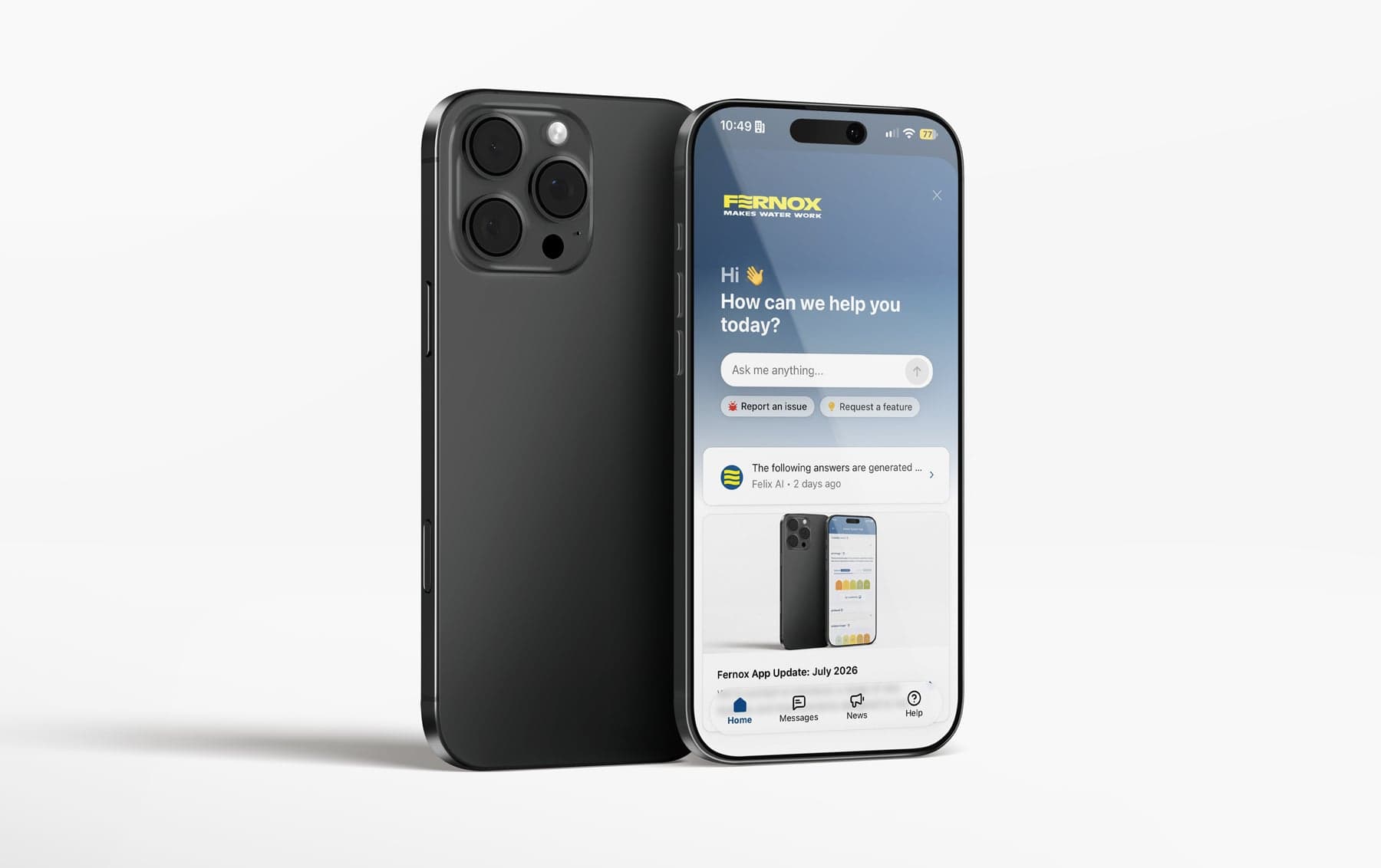
We’re making it easier than ever to get the help you need, when you need it. Fernox App update launching tomorrow will bring a brand-new Help Centre, a Live AI Support Assistant and in-app Release Notes together in one place: the Help section of your Fernox App. Whether you’re setting up your account, running a water test or managing your team’s results, support will be just a tap away. Read on to see what’s new and how to get started.
We have introduced a new Help Centre with guides and how-to articles, now available at help.fernox.app or straight within the Fernox App Help section. It covers everything from account setup and testing to troubleshooting and managing your organisation.
How to use the Help Centre
Open your Fernox App and select Help from the bottom navigation, this will open your Support Widget.
Pick a topic from the collections on the home page:
On-Site Water Tests: guides for the on-site testing range.
Postal Water Tests: guides for Fernox postal water testing products
User Guides: setting up your Fernox App account and starting to test
Manager Guides: monitoring and managing your linked users’ test results
Security & Privacy: how Fernox protects your data
Troubleshooting & Support: fixes for common app, test and account issues
Open any article to read the step-by-step guidance.
Use the search bar to instantly find answers to your questions from the Help Centre.
Introducing our new Live AI Support Assistant! Get quick answers to common questions directly from the Fernox App. Its support content is continuously updated to reflect platform updates.
How to use the Live AI Support Assistant
Open your Fernox App and select Help from the bottom navigation, this will open your Support Widget.
Start a new conversation within the 'Ask me anything' field and type your question in plain language, for example: “How do I link a user to my account?”
The assistant will reply with an answer and links to relevant Help Centre articles.
Ask follow-up questions in the same chat if you need more detail.
If the AI assistant is not capable of answering your question or your need additional support your ticket will be sent over to the Digital Team and we will handle it as soon as possible.
Keep up to date with the newest developments in the Fernox App, now accessible directly within the Help Widget.
Where to find Release Notes
Open your Fernox App and select Help from the bottom navigation, this will open your Support Widget.
Click the "News" section in the bottom navigation bar.
Here you can read all about of our latest updates to Fernox App.
Your feedback matters! We’re using your input to shape future improvements, focusing on the features and changes that bring the most value to you. Now you can submit Feature Requests and Report Issues with the app directly from the Help widget.
We’re committed to evolving the Fernox digital experience. Expect new releases, updated guidance and ongoing platform improvements so you get the best experience possible.